What we built
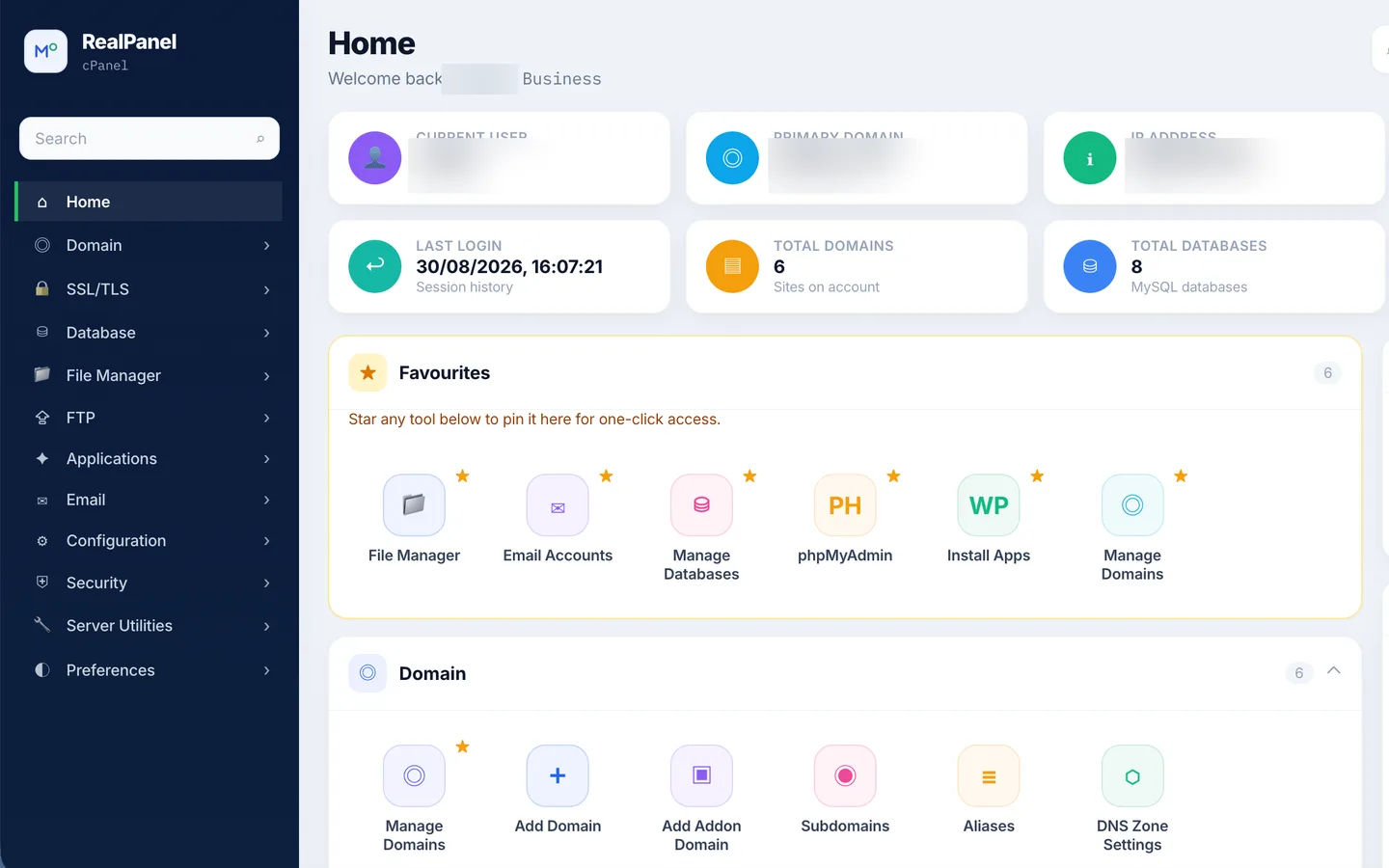
RealPanel is a web hosting control panel built as a friendlier alternative to cPanel-style tools. It lets site owners and agencies create websites, manage domains and DNS, browse files, run databases, set up email, issue SSL certificates, switch PHP versions, schedule cron jobs and take backups — from one modern interface.
The problem to solve
Traditional hosting panels are powerful but dated: hundreds of icons, inconsistent screens and jargon everywhere. Users wanted the same control with less fear of breaking something — and clear health signals for CPU, memory, disk and SSL renewals.
How we approached it
- Re-organised the panel around tasks (Websites, Domains & DNS, Files, Databases, Email) instead of a wall of icons.
- Designed a dashboard with live resource meters, traffic trends and per-site status pills.
- Grouped risky actions under Security and Advanced, with safe defaults and clear confirmations.
- Built server-side automation for site provisioning with a ready document root out of the box.
What's inside
One-click websites
Provision a site with a ready document root.
Domains & DNS
Manage zones and records without jargon.
File manager
Browse, upload and edit files in the browser.
Databases
Create and manage databases and users.
SSL & firewall
Certificates, renewals and protection in one place.
Advanced tools
PHP versions, cron jobs, backups and terminal.
Colour & type
Core palette sampled from the live interface, plus the type system used across screens.
#0F1B33#22C55E#3B82F6#8B5CF6#F1F4F9Headings, UI labels and data use a tight, legible scale tuned for dense screens and small phones.
Built with
Inferred from the shipped product and its front-end; exact internals vary by module.
Screens gallery
Desktop and mobile views. Tap any screen to enlarge.
The outcome
Results are described qualitatively; we don't publish client metrics without permission.
“The MinDev team asked sharper questions in week one than most vendors ask in a quarter. The build felt calm, even when our launch date moved forward.”